Kubernetes Sidecars
This guide explains how to use Spin Applications alongside standard container-based workloads, focusing on a common pattern known as the “sidecar pattern.” We’ll demonstrate how to deploy and configure a Spin application that shares an ephemeral volume with a container providing content.
Overview
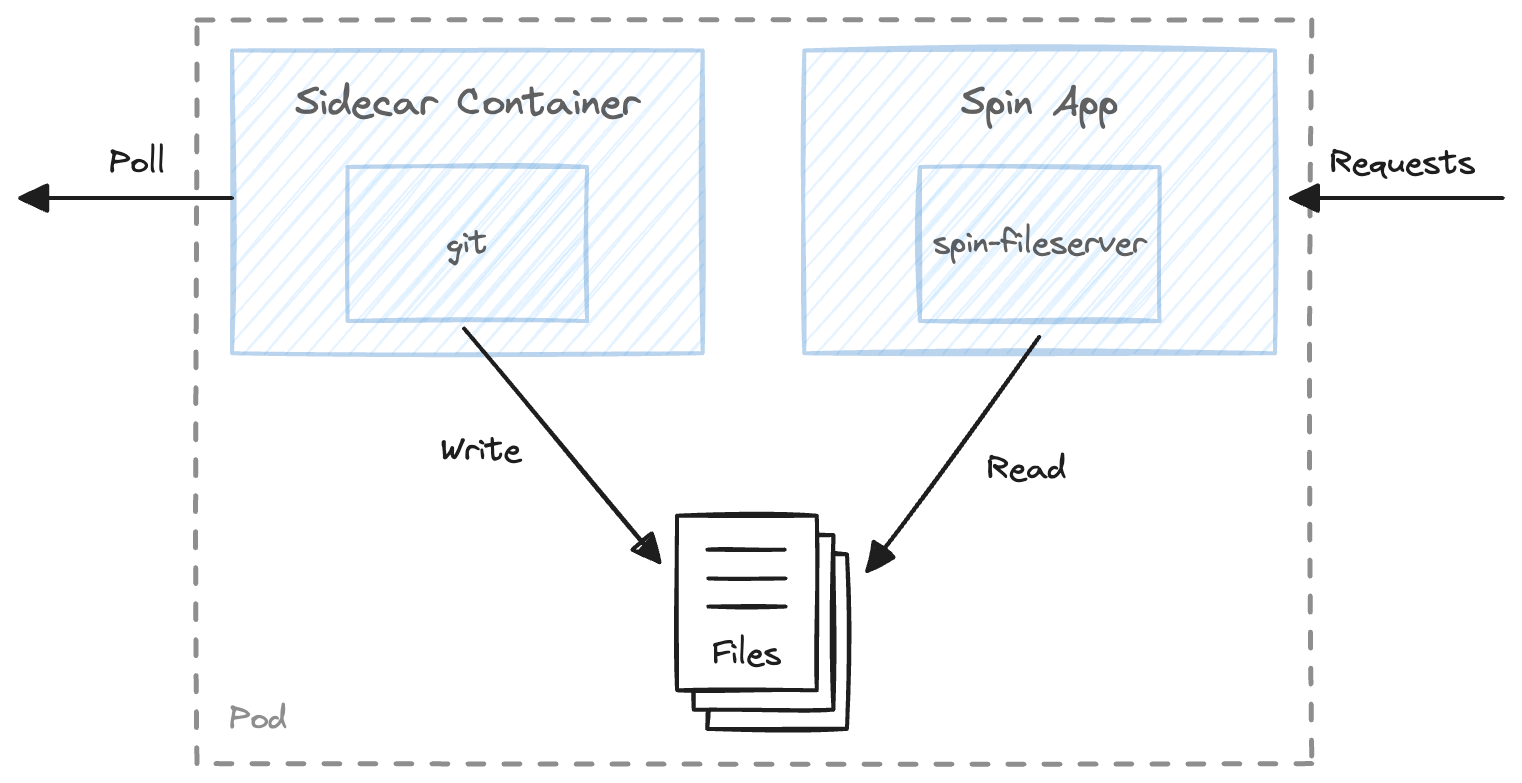
Our setup includes a container generating content for a website and a Spin application serving this content using the spin-fileserver component. The sidecar container will continuously update from a Git repository (example: Liquid-Reply/k8s-spin), which hosts a simple website served by the Spin application. The key components are:
- A container with Git (using alpine/git)
- Spin application with spin-fileserver
- A shared ephemeral volume
Creating a Shared Volume
First, we need to create a shared volume to ensure both the container and Spin application can access the same directory. We’ll use an emptyDir, a temporary shared volume, for simplicity.
      volumes:
        - emptyDir: {}
          name: git
Configuring the Container
First we will make sure our container writes into the directoy. Luckily we can use the container image (https://hub.docker.com/r/alpine/git/) as it is, without doing any adjustments.
As a startup command we advice git to clone our repository. The URL to our repository will be handed over via an environment variable called GIT_REPO.
Additionally, we need to make sure, that our container mounts the volume we just created at a proper path. Lets use /var/lib/data as the directory where we will write our contents to.
We conciously use an initContainer, as we need to make sure that the data is available, before our spin app starts. See “Known Limitation” for more context.
      initContainers:
        - name: get-contents
          image: alpine/git
          command:
            - "sh"
            - "-c"
            - "git clone $(GIT_REPO) . "
          workingDir: /var/lib/data
          env:
            - name: GIT_REPO
              value: https://github.com/Liquid-Reply/k8s-spin
          volumeMounts:
            - mountPath: /var/lib/data
              name: git
The Spin App
The Spin application involves three main elements:
- The spin-fileserver
- An HTTP trigger route at
/... - A data source for serving files
The Spin application will serve content from a data directory located at /data on localhost:<port>/.
spin.toml
spin_manifest_version = 2

[application]
authors = ["Christoph Voigt <c.voigt@reply.de>"]
description = "This Spin application serves static files"
name = "static-server"
version = "0.1.0"

[[trigger.http]]
route = "/..."
component = "static-server"

[component.static-server]
source = "./spin_static_fs.wasm"
files = [{ source = "data", destination = "/" }]
Our Dockerfile is very simple as well: we need to pack the spin-fileserver as well as the Spin configuration.
Dockerfile
FROM scratch
COPY ./spin.toml ./spin.toml
COPY ./spin_static_fs.wasm ./spin_static_fs.wasm
For this example we prebuild the mentioned docker image and made it available at ghcr.io/liquid-reply/k8s-spin/spin-static-server:latest.
Pod Spec for Spin Application
The Pod spec for our Spin application is also relatively simple. There are three things we need to take care of:
- we have a runtimeClass configured
- our app starts with command
"/" - We mount our
gitvolume to the container, at the same destination as Spin expects our data to live
      runtimeClassName: wasmtime-spin
      containers:
      - image: ghcr.io/liquid-reply/k8s-spin/spin-static-server:latest
        name: spin-static-server
        command: ["/"]
        volumeMounts:
        - mountPath: /data
          name: git
Connecting the dots
The entire example looks like this: You will find the entire example in here.
apiVersion: apps/v1
kind: Deployment
metadata:
  labels:
    app: spin-static-server
  name: spin-static-server
spec:
  replicas: 1
  selector:
    matchLabels:
      app: spin-static-server
  template:
    metadata:
      labels:
        app: spin-static-server
    spec:
      runtimeClassName: wasmtime-spin
      initContainers:
        - name: get-contents
          image: alpine/git
          command:
            - "sh"
            - "-c"
            - "git clone $(GIT_REPO) . "
          workingDir: /var/lib/data
          env:
            - name: GIT_REPO
              value: https://github.com/Liquid-Reply/k8s-spin
          volumeMounts:
            - mountPath: /var/lib/data
              name: git
      containers:
      - image: ghcr.io/liquid-reply/k8s-spin/spin-static-server:latest
        name: spin-static-server
        command: ["/"]
        volumeMounts:
        - mountPath: /data
          name: git
        resources:
          limits:
            cpu: 100m
            memory: 100Mi
          requests:
            cpu: 100m
            memory: 100Mi
      volumes:
        - emptyDir: {}
          name: git
Now we need to deploy our application:
$ kubectl apply -f deploy_spin-sidecars.yaml
Once our deployment is ready, it creates a pod that serves its content at port 80. We can access it e.g. via port-forward:
$ kubectl port-forward deployment/spin-static-server 8000:80
Forwarding from 127.0.0.1:8000 -> 80
Forwarding from [::1]:8000 -> 80
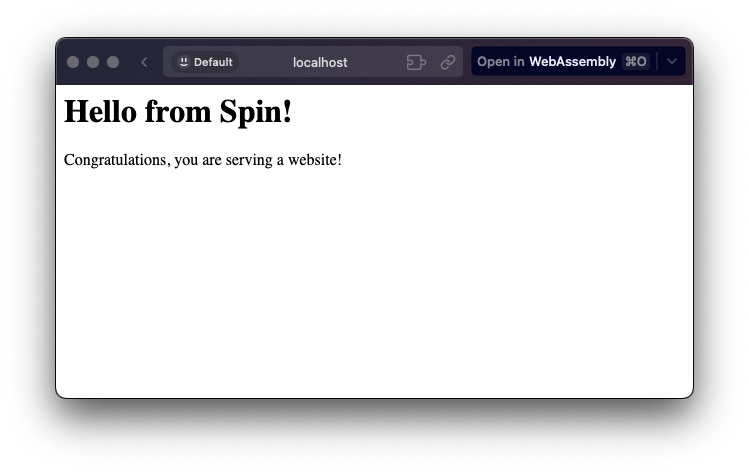
Head over to your browser, and you should see our website:
Known Limitation
Currently, the spin-static-file server can’t detect or serve updated files due to local copy behavior. A workaround using the –direct-mounts flag of the spin up command is not yet available with containerd-shim-spin. For further reference view this issue: